Apply for prepaid phone activation
Make four choices and you move on to the application screen.
If you are ready, apply now: KT application screen · LG application screen
What to prepare: compatible SIM types
Along with your ID and simple authentication certificate, prepare one of the SIMs below.
| Photo | SIM | NFC | Where to buy | Price |
|---|---|---|---|---|
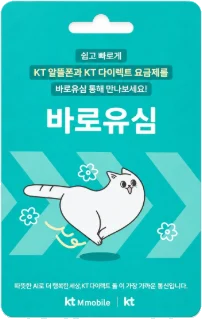 | KTBaro SIMMint color | NFC included | CU · GS25 · Emart24 · 7-Eleven | 8,800 KRW |
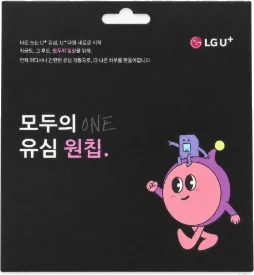 | LGModu One-Chip SIMBlack | NFC included | Baemin B Mart · Storyway · Emart24 | 8,800 KRW |
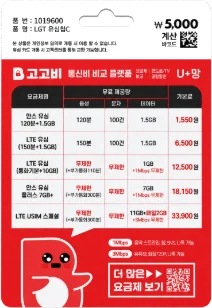 | LGDaiso GoGoB SIMRed U+ network product | No NFC | Daiso | 5,000 KRW |
| eSIM | LGPrepaid eSIMNo need to go buy a SIM | NFC not applicable | Pay by card on the application screen | 2,750 KRW |
SIM prices are as of November 6, 2026. KT plans work only with Baro SIM. Skylife SIMs cannot be used. eSIM works only on certain device models (See models). For in-person activation, do not buy a SIM beforehand. You buy the SIM and activate at the dealer you booked.
Activation hours
- New number
- Daily 8:00 a.m. to 9:30 p.m. (online activation is also available on Sundays and holidays)
- Number porting (MNP)
- Mon to Sat, 10:00 a.m. to 7:30 p.m. completion (not available on Sundays and holidays)
- In-person activation
- 100% by reservation, Mon to Sat, 10:00 a.m. to 6:30 p.m.
When online activation is not possible
- If you have no simple authentication certificate or the line is in a minor’s name, use in-person activation.
- If you already have an N-Telecom line, you cannot activate another one online. Add extra lines through in-person activation.
- If you have unpaid N-Telecom bills, activation goes through after you pay them off.
- If you activated 3 lines within the last 180 days, you can activate again after that period passes.
- Foreigners get 1 line per person and can only use in-person activation, bringing a passport or Alien Registration Card.
This is how the application screens look
This is the actual order of the application screens. Swipe to the right.
Choose a network
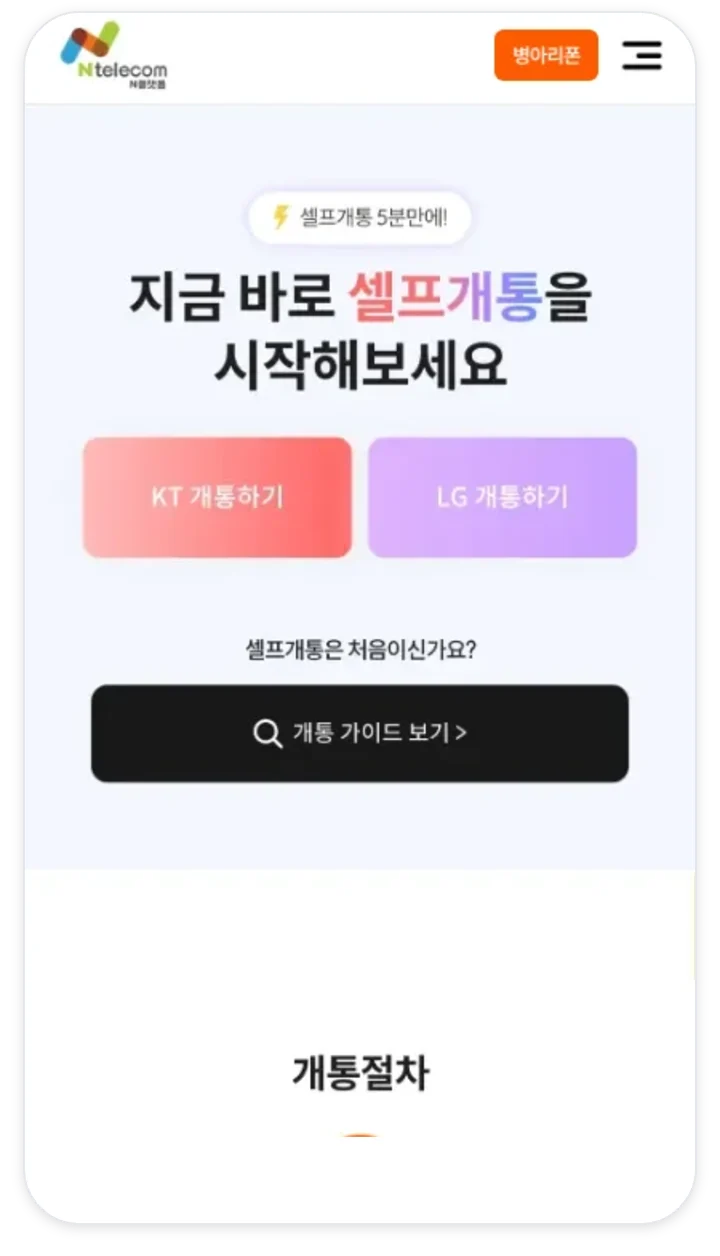
Tap Activate for KT or LG.
New sign-up or number porting (MNP)
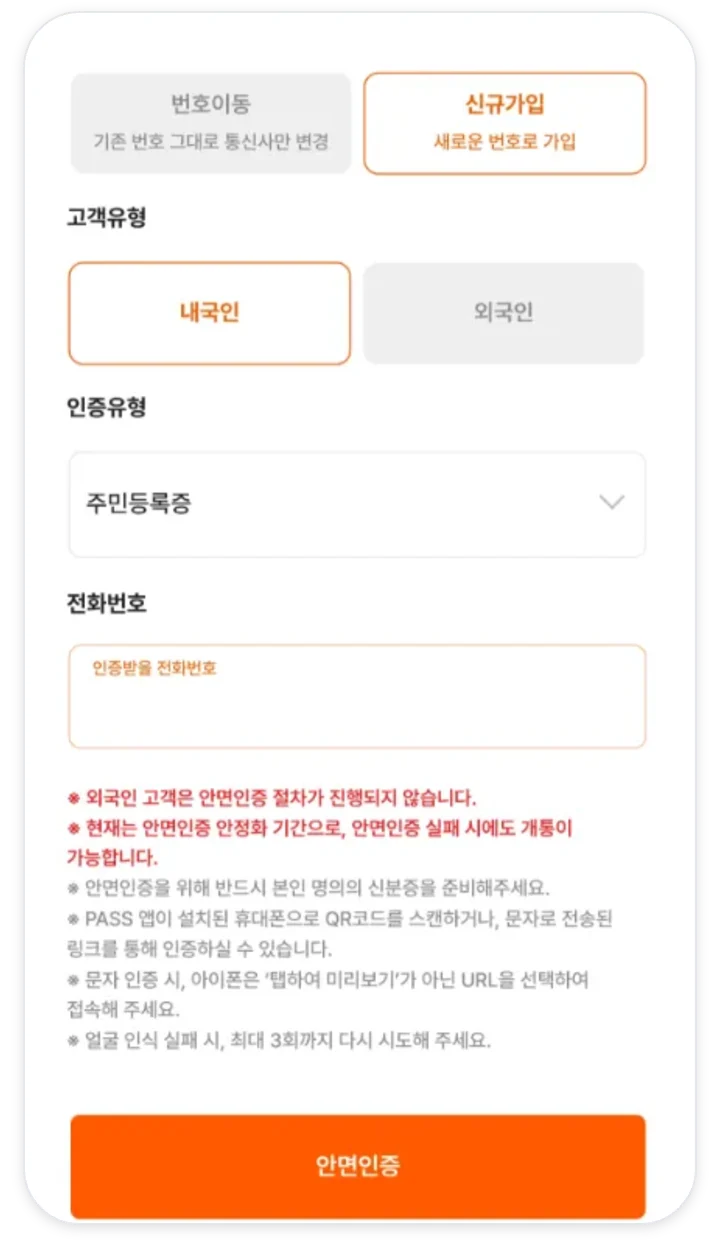
Have your resident registration card or driver’s license ready.
Face verification
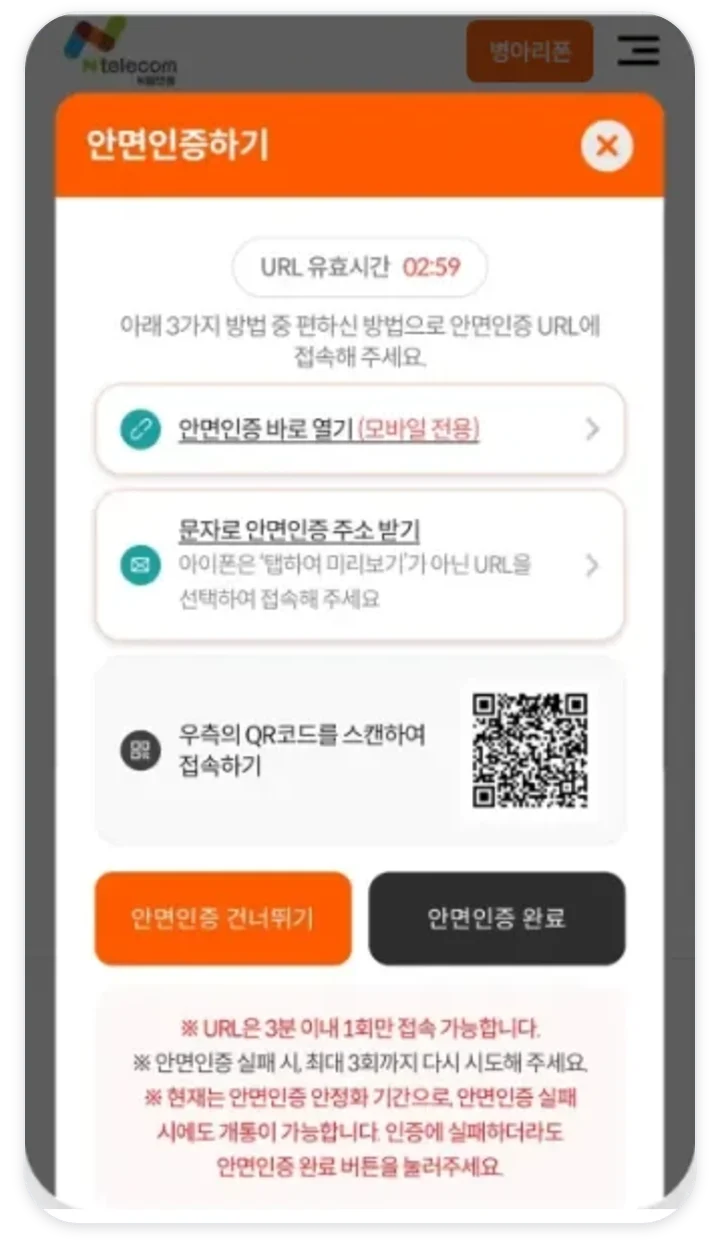
Match your face and ID at the web address you are given.
Simple authentication
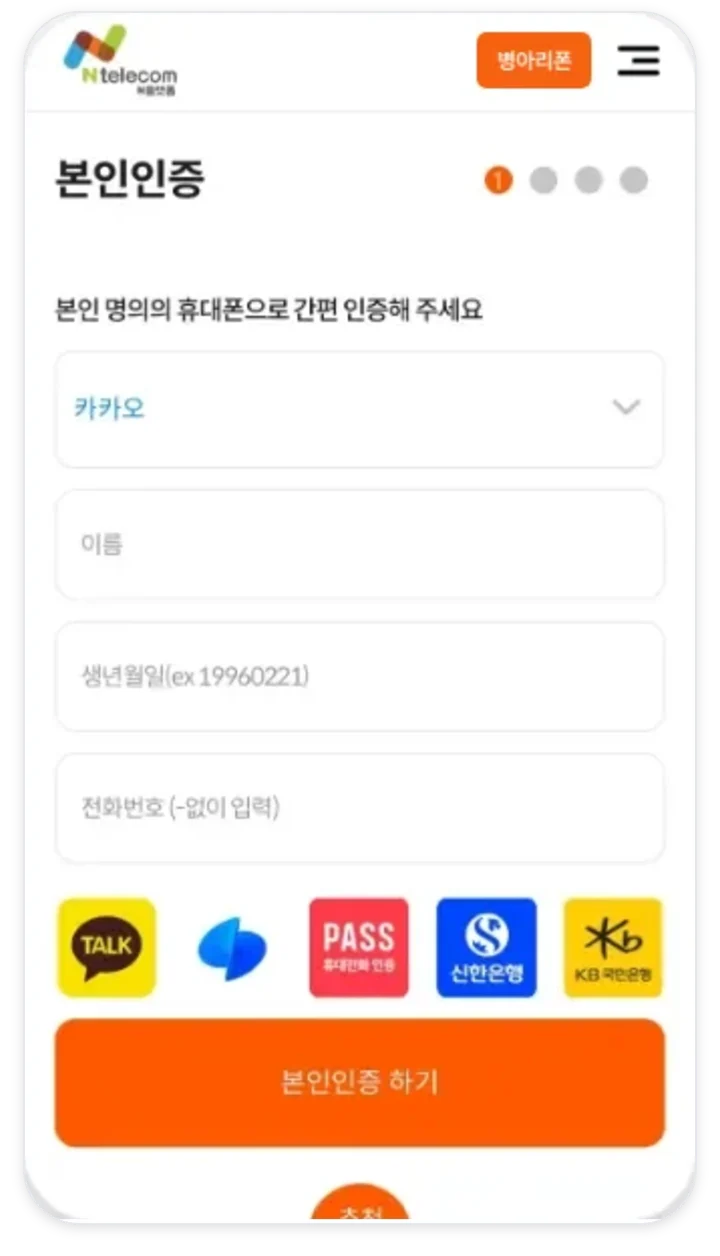
Verify your identity with the certificate you have.
Enter the SIM number
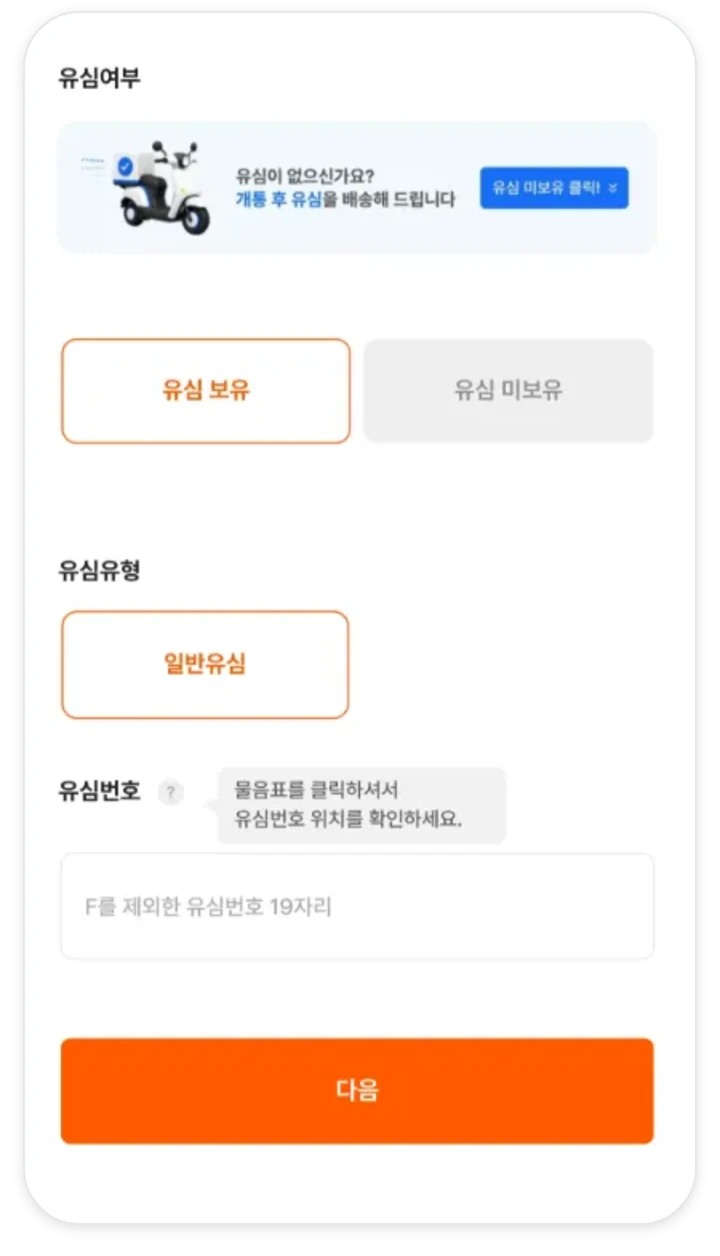
For KT, use one field. For LG, use two fields: model name and serial number.
Choose a plan
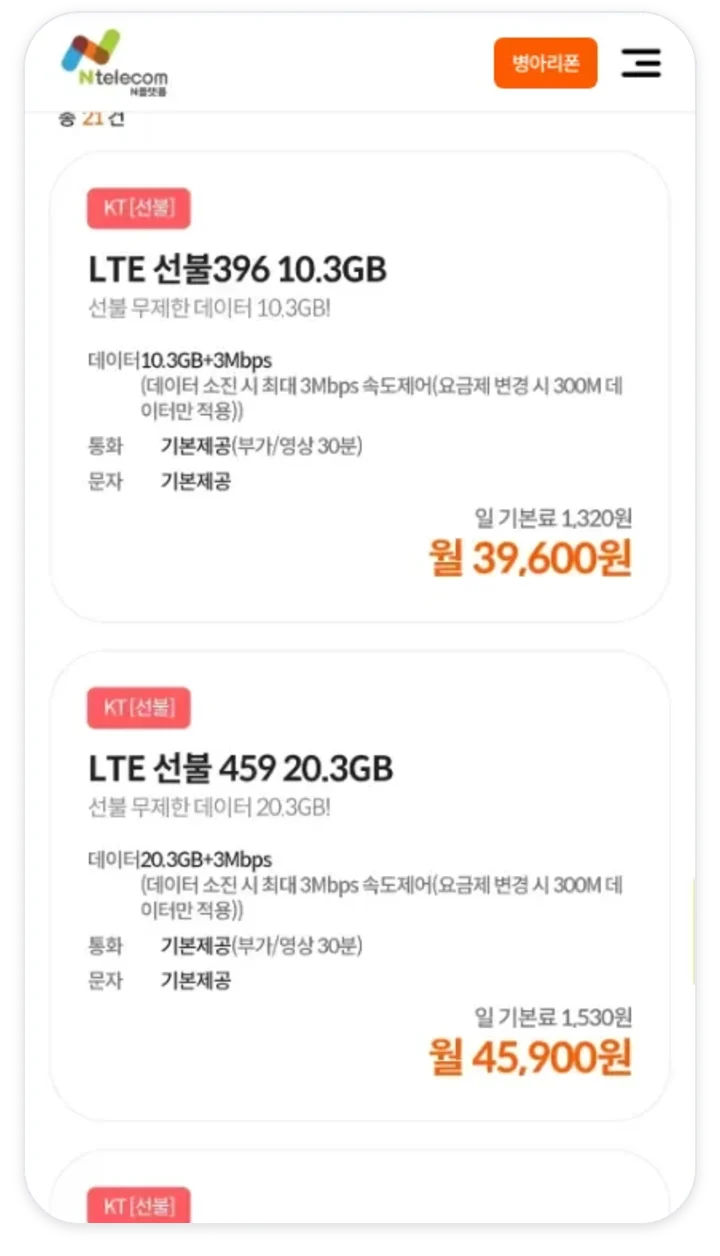
Find the name of the plan you chose on the Prepaid tab.
Enter your details and activate
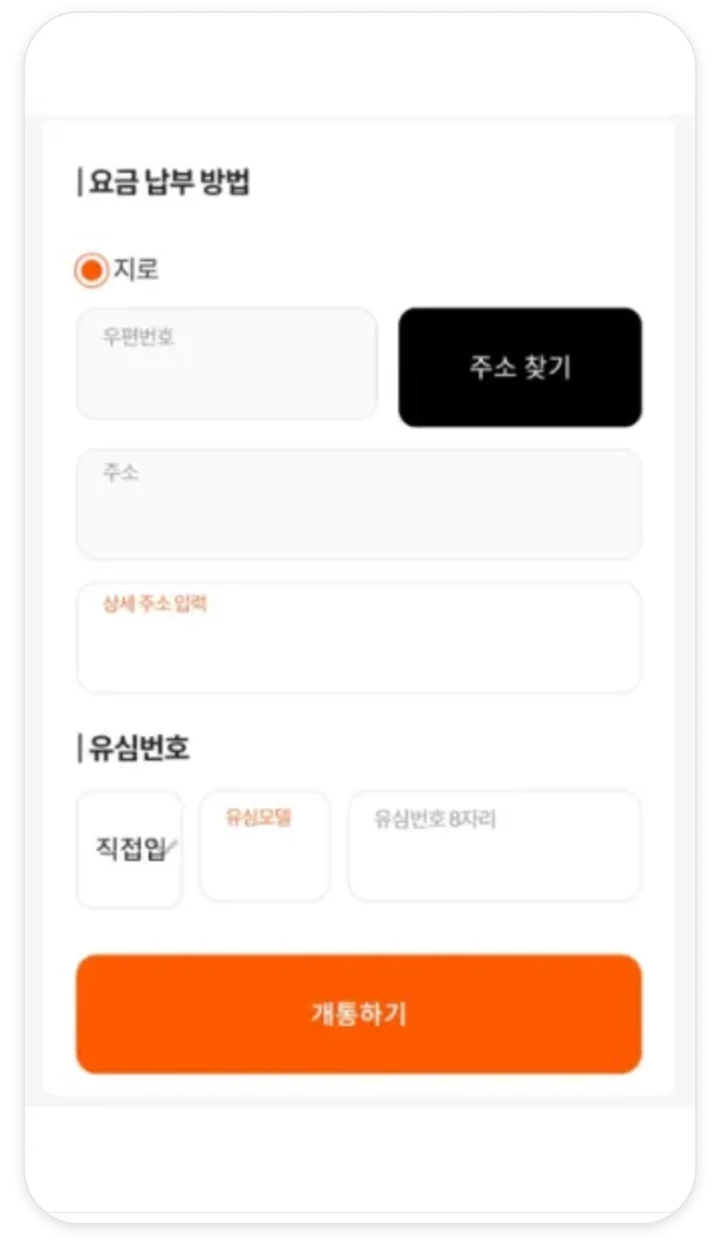
For number porting, the pre-consent text arrives at this point.
Top up and take the confirmation call
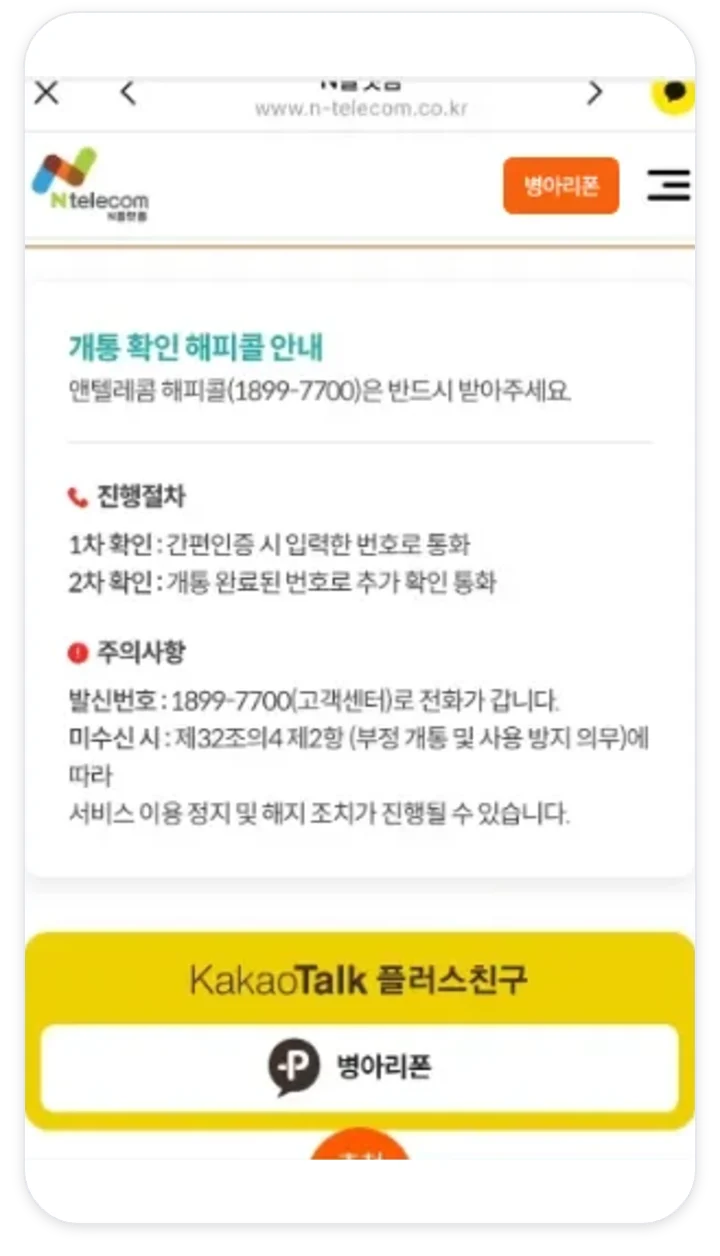
Be sure to answer the call from 1899-7700 within 3 days. It comes once to the number you verified with and once to the number you activated.



Prepaid phone self-activation FAQ
How do I self-activate a prepaid phone?
Prepare a SIM or eSIM, complete face verification and simple authentication on the application screen, then enter the SIM number and choose a plan. It usually takes about 10 minutes. Top up on the day of activation and take the confirmation call, and you are done.
Do I have to apply on the phone I will use?
No. You can apply on a smartphone, tablet, or PC screen. After activation, put the SIM in the phone you will use.
Can I activate just a SIM for a spare or unlocked phone?
Yes. You can activate a SIM on its own. Any LTE or newer phone released in 2014 or later works.
Can I use it on a phone bought from another carrier?
Yes. Any LTE or newer phone released in 2014 or later works. After inserting the SIM, restart the phone 2 or 3 times and turn airplane mode on and off once.
Until what time can I activate?
New sign-ups are accepted daily from 8:00 a.m. to 9:50 p.m., and number porting from 10:00 a.m. to 7:50 p.m., Monday to Saturday. Please finish by 9:30 p.m. and 7:30 p.m. to leave some margin.
I already use N-Telecom. Can I activate one more line online?
Online activation is limited to 1 N-Telecom line. If you already have a line, add one through in-person activation. It is 100% by reservation.
How many lines can I activate?
Korean citizens can have up to 3 lines within the last 180 days. Numbers you already canceled count too if 180 days have not passed. Foreigners get 1 line per person.
Can I choose my phone number?
For new sign-ups, you can pick some of the last-digit combinations from the list shown. You cannot change the number once you submit, so choose carefully.
Can I apply without a SIM?
If you choose that you have no SIM on the application screen, it can be delivered after activation. To use it right away, buying a SIM at a convenience store or Daiso is faster. LG also has eSIM.
Can I activate at an ordinary carrier store?
No. It works only at dealers affiliated with N-Telecom. If you need to visit, leave an in-person visit reservation inquiry.